Moving From Paper to Software Without Losing Your History
The biggest reason pharmacies delay going digital isn’t cost or complexity. It’s the shop itself: shelves full of stock bought over years, a khata full of dues both ways, cash in three places. “Do we have to start from zero?” No — and doing it right takes one honest weekend, not a fresh start.
A new pharmacy starts digital on day one — every strip it ever owns arrives through the system. Your shop isn’t that. Your shop has history: stock with no purchase record in any computer, customers who already owe you, suppliers you already owe, and a cash drawer that’s already half full. Software that ignores that history will spend months lying to you — zero stock on full shelves, zero dues in a full khata.
medipharma24 is built for the running shop. The move happens in three honest steps.
Step 1: Count what you own — as opening stock
The stock on your shelves today is capital you’ve already invested. When you count it into the system, it must enter as opening stock — what the shop already owned — not as a mysterious windfall of new inventory.
This distinction sounds like accounting pedantry. It isn’t — it decides whether your first profit report tells the truth. Stock recorded as opening balance sits on your books as the investment it is. Stock recorded any other way looks like the shop magically gained inventory, inflating your first months’ profit with money that was always yours.
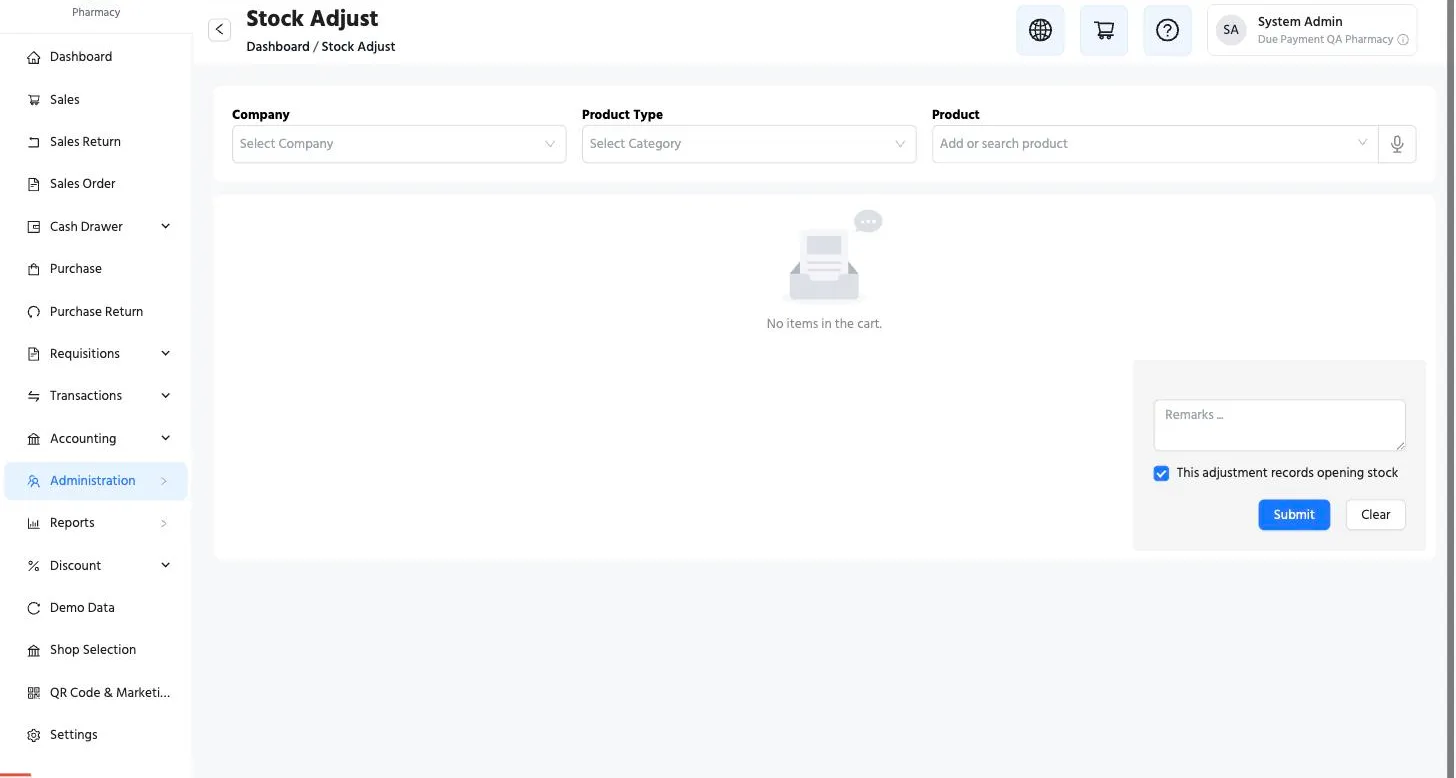 One checkbox carries the whole idea: “this adjustment records opening
stock.” Tick it during your cutover count, and the system books the
stock as history, not as profit.
One checkbox carries the whole idea: “this adjustment records opening
stock.” Tick it during your cutover count, and the system books the
stock as history, not as profit.
Count in passes — fast movers first, a shelf at a time, over a few evenings. The system doesn’t need the whole shop in one heroic night.
And the box in the back room? Every shop that finishes its opening count later finds one — a carton behind the refrigerator, a shelf that got skipped. Found stock that predates the software is still opening stock, whenever it surfaces. The same checkbox handles it, weeks or months later. Your late discovery doesn’t get miscounted as profit.
Step 2: Bring in the khata — both sides
Your dues are history too:
- What customers owe you enters as opening balances per customer — so Karim bhai’s 340 taka survives the migration and appears on his first digital statement.
- What you owe suppliers enters per company — so the first time a rep collects after the switch, the system already knows the position.
From that day forward, new sales and purchases build on those balances, per invoice, automatically. The khata’s last entry becomes the system’s first.
Step 3: Declare the money
Count the drawer, note the bank balance, the bKash float — and enter them as the opening balances of your money accounts. Now the books start balanced: what the shop owns (stock, cash, receivables) against what it owes (payables), with your investment as the difference. Every report after this — profit & loss, balance sheet, dues — stands on a true foundation.
What you don’t lose
Notice what this preserves. Ten years of shopkeeping — the stock you chose, the credit you extended, the trust you built — is exactly what gets carried in, valued, on day one. What you leave behind is only the bookkeeping method: the notebook, the mental arithmetic, the “more or less.”
And the switch isn’t a leap. Many shops run both for two weeks — khata and system side by side — until the evening the owner checks the khata against the screen and realizes the screen was right, faster, both times they disagreed. That’s the real cutover moment. The checkbox just makes it official.
This is part of a series for pharmacy owners: Where cash leaks in a pharmacy · The supplier khata · the full tour.