Who Can See What: Giving Staff Access Without Giving Away the Shop
Every pharmacy owner faces the same quiet dilemma: the shop can’t run without trusting staff, and the shop can’t be safe if everyone can do everything. Paper solves this badly — either the khata is locked away and work stops, or it’s open and everything in it is. Software solves it properly, if it takes the problem seriously.
The all-or-nothing trap
In most small shops, access is binary. Either a staff member can touch the records or they can’t. So the owner ends up in one of two bad places:
- Everything open: the newest salesperson can see the shop’s profit, every customer’s balance, every supplier price — knowledge that walks out the door with every resignation, sometimes straight to a competitor’s counter.
- Everything closed: every price check, every due lookup, every correction routes through the owner. The shop has software; the owner is still the bottleneck.
Neither is about distrust. It’s that paper — and naive software — only has one key.
Roles: many keys, each cut to the job
medipharma24 ships with roles — bundles of permissions matched to how a pharmacy actually staffs itself — and lets you shape your own:
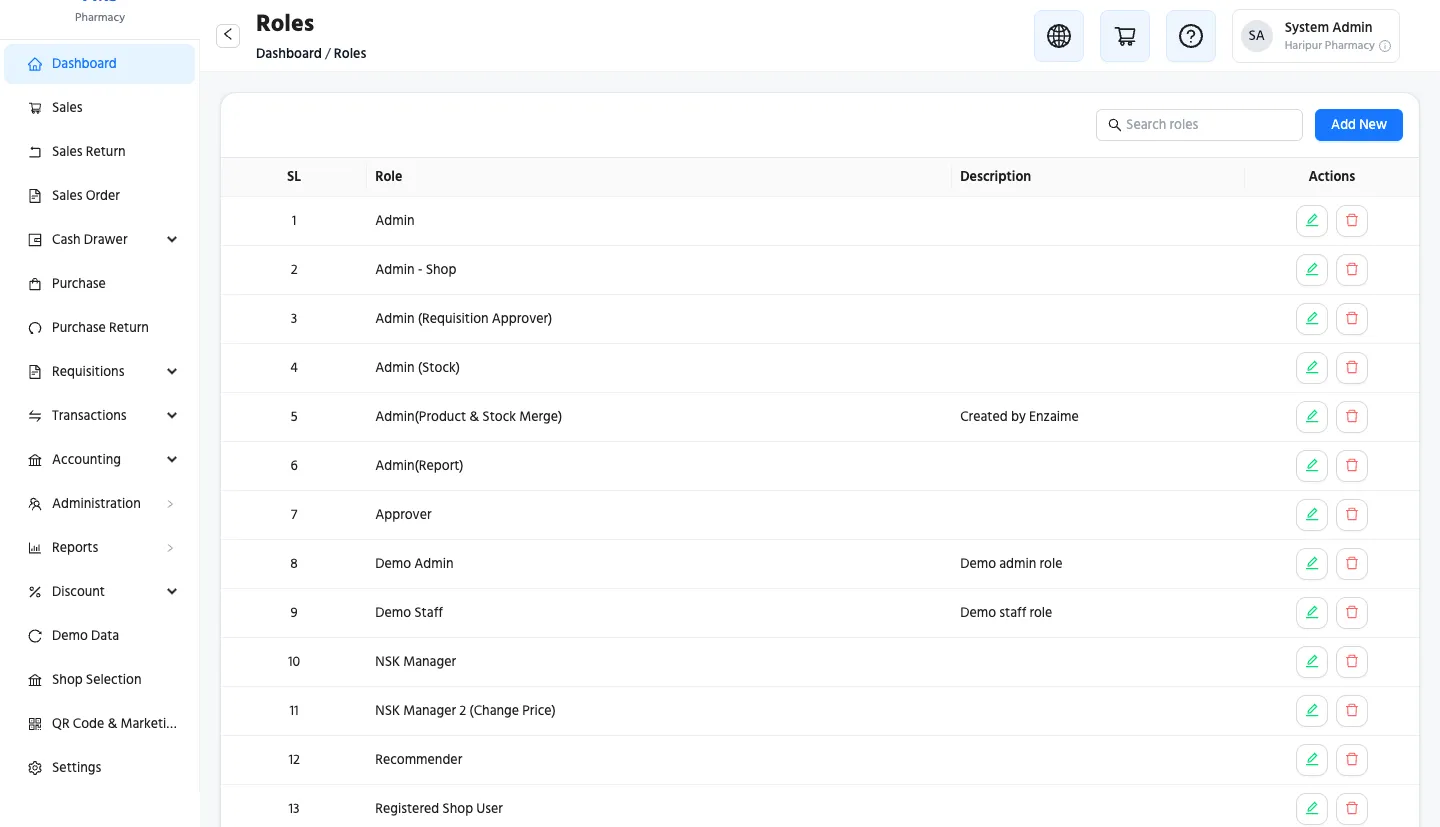 Roles are named bundles of permissions. Assign one to a staff member
and their screens shrink to their job.
Roles are named bundles of permissions. Assign one to a staff member
and their screens shrink to their job.
What that looks like at the counter:
- The salesperson bills, records dues, searches stock. They never see the profit & loss, supplier balances, or purchase prices. The interface simply doesn’t show them — there’s no locked door to rattle, the door isn’t there.
- The branch manager runs their shop end to end — purchases, counts, expenses, reports — but only their shop. The other branch might as well be another company.
- The accounts hand sees the books, not the till.
- The owner sees everything, everywhere, and is the only kind of person who can hand out elevated access.
One detail worth appreciating: sensitive powers can only be granted by someone who holds them. A manager can’t quietly promote a friend to see what the manager can’t see themselves. Escalation always traces back to you.
Not just menus — enforced underneath
Plenty of software “hides” features from junior staff but happily answers if asked directly — a bookmarked report link, a shared login, a curious brother-in-law with the manager’s phone. medipharma24 enforces permissions on the server, not just on the screen: a person without the right sees a refusal, not a report, no matter how they ask. Hidden and locked are different things, and your shop’s numbers deserve the second one.
The overlooked benefit: protection runs both ways
Owners think of permissions as protecting the shop from staff. The quieter benefit is protecting staff from suspicion. When the salesperson cannot alter a price, void a sale, or touch the books, then a discrepancy in those places was provably not them. Clear boundaries don’t just prevent mischief — they keep honest people comfortably, demonstrably honest. Staff tend to like the system more than owners expect.
Five minutes, once
Setting this up isn’t a project. Create the staff account, pick a role, done — their next login shows their job and nothing else. Promotion day is a dropdown, not a migration. And when someone leaves, one switch closes every door at once — instead of changing the one shared password everyone knows, again.
Trust your people. Just stop making trust do the work a permission system should.
This is part of a series for pharmacy owners: Opening your second branch · Where cash leaks in a pharmacy · the full tour.